One moment…
On the tabletFix guides
A fix,step by step.
When a check fails, the app walks the driver through the fix one step at a time, and it works without a connection.
The guides
Six guides,word for word.
These are the guides as the app shows them, one step to a screen. Open any of them.
01Get the charger workingWhen: plugged in, not charging · 3 steps
- Step 1 of 3
It's plugged in, but no charge is flowing. Unplug the cable at both ends and seat it firmly again.
- Step 2 of 3
Still no charging icon? Try another cable or charger. A worn cab cable is the usual cause.
- Step 3 of 3
Check the mount's power: the truck's ignition or the mount's own switch may be off.
02Get charge flowingWhen: nearly flat on battery · 4 steps
- Step 1 of 4
If it isn't plugged in, plug it into a known-good charger now.
- Step 2 of 4
Already plugged in but no charging icon? Unplug the cable at both ends and seat it firmly again.
- Step 3 of 4
Still no charging icon? Try another cable or charger. A worn cab cable is the usual cause.
- Step 4 of 4
Give it about 10 minutes once the icon shows.
03Top up the batteryWhen: battery getting low · 2 steps
- Step 1 of 2
The battery is getting low. Plug in when you get a moment.
- Step 2 of 2
Make sure the charging icon appears once it's connected.
04Let the tablet coolWhen: running hot · 3 steps
- Step 1 of 3
The tablet is running hot. Move it out of direct sun and off the dash.
- Step 2 of 3
Point a vent at it if you can, and close apps you aren't using.
- Step 3 of 3
Once you are parked, unplug it for a few minutes so it cools without charging heat.
05Get back onlineWhen: no internet · 4 steps
- Step 1 of 4
Open Wi-Fi settings and make sure Wi-Fi is switched on.
- Step 2 of 4
Tap your usual network and wait until it says Connected.
- Step 3 of 4
Still nothing? Turn Wi-Fi off and back on once so it reconnects fresh. The tablet records that short gap, so only do it when you need to.
- Step 4 of 4
If it is still off after that, restart the tablet when you are parked.
06Free up spaceWhen: storage almost full · 4 steps
- Step 1 of 4
Open storage settings, usually under Settings, Storage, to see what's using space.
- Step 2 of 4
Clear old photos, videos, or downloads you don't need.
- Step 3 of 4
In the same screen, clear the cache of big apps (it rebuilds itself).
- Step 4 of 4
Re-run the check. If it stays full, send this to IT.
After the last step
Then ittests again.
The last step runs the check once more, and the tablet says plainly whether it worked.
If it worked
Fixed. You're good to go
Battery charge is healthy now. You don’t need to call IT.
If it did not
Still not fixed
Battery charge is still showing a problem.
After a second try
Send this to IT
You’ve tried the steps a couple of times. Send this to your IT team and they’ll take it from here. No need to write anything up.
The one without a guide
And when thereis no fix.
A worn battery has no guide: the app says it cannot be fixed on the tablet, and who to tell.
Battery health
The battery has aged: it holds about 64% of what it did new.
Not something you can fix. Worth telling your manager.
On the tablet
More ofthe app.
A guide starts from a failed check, and what it cannot fix becomes a ticket.

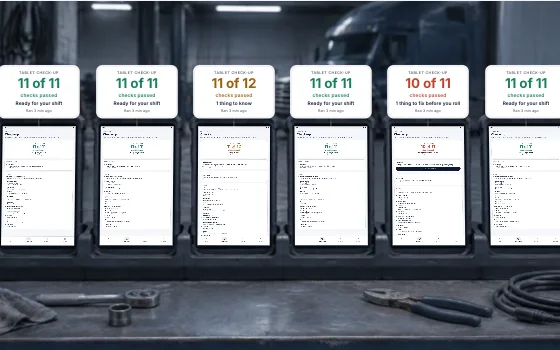

Before the next shift
Find itbefore it fails.
Free for 30 days on your own tablets, with no card.